

In projects where multiple developers collaborate, it can be difficult to identify the correct build tied to a pull request. Each successful build generates a new version, and manually locating the right one is time-consuming. To address this, we implemented a functionality that automatically updates the build number in the Azure DevOps repository tag after a successful pull request build.
This feature helps developers quickly identify and select the correct build when deploying extensions in the customer environments. By tagging the build number automatically, developers can now easily avoid selecting other developers fixes, preventing unintended changes from being deployed in the customer environment.
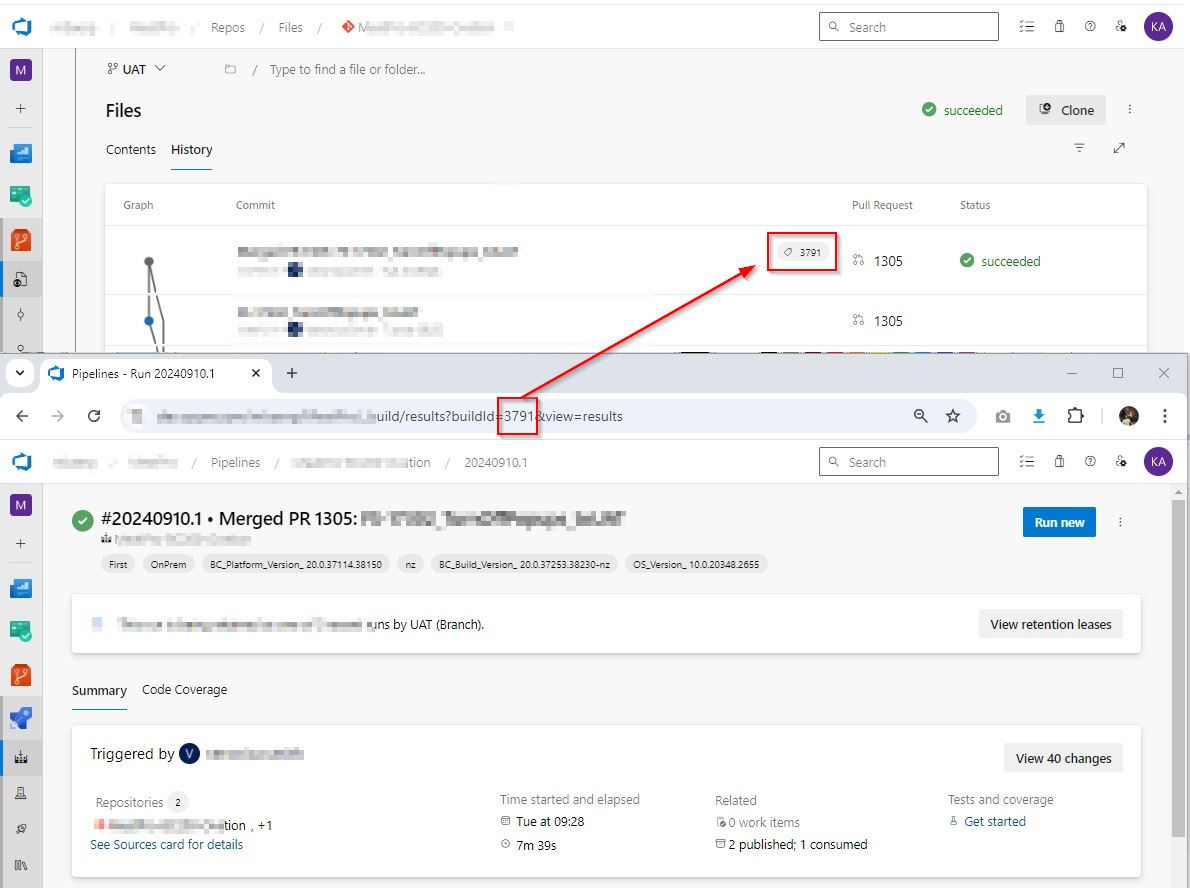
Now, developers can easily locate the source by selecting the appropriate tag.
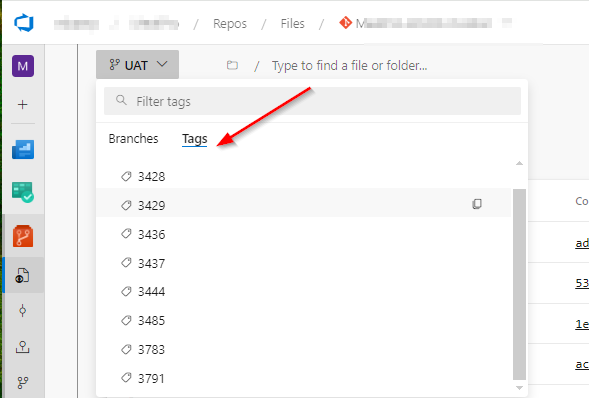
Setup
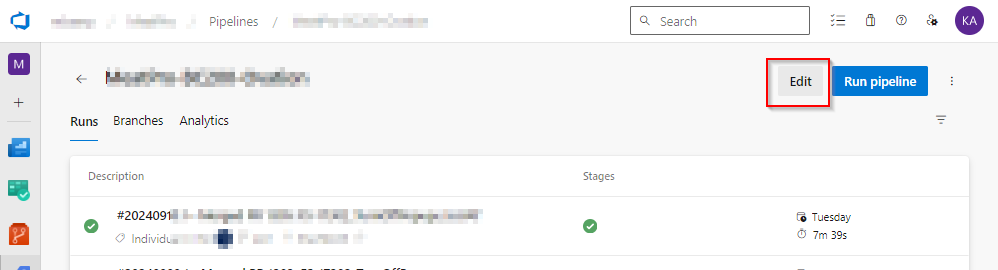
Project Pipeline —Select Project pipeline –> edit
Select Triggers
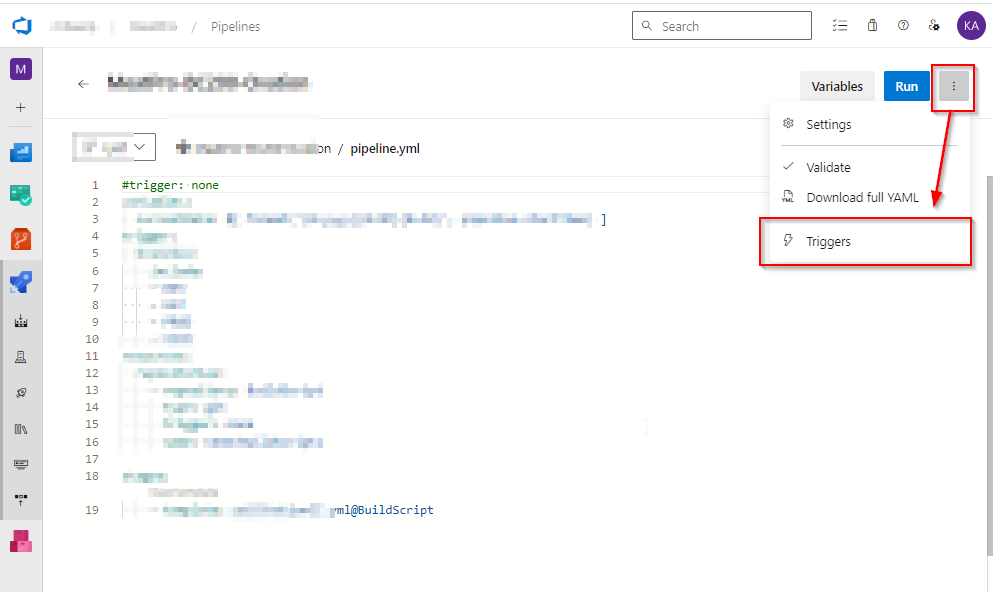
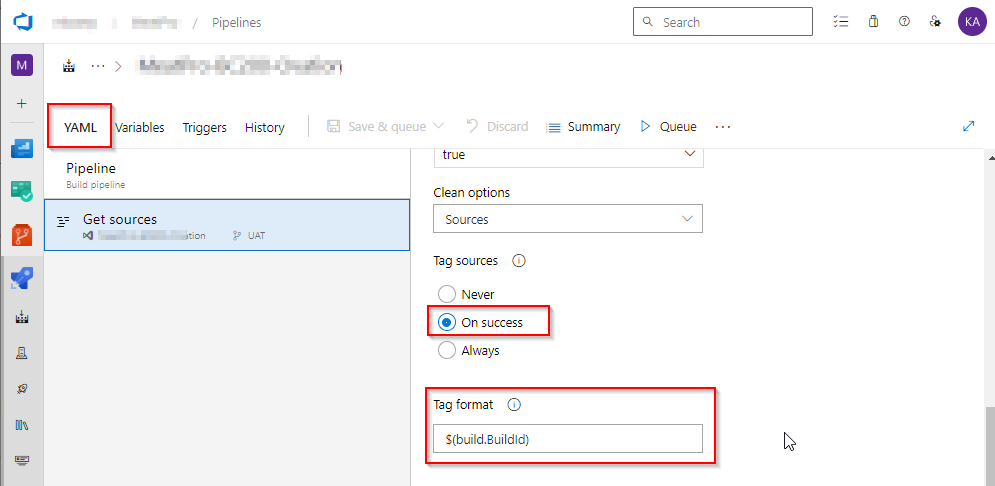
select YAML Tag sources –> Select On success
Update tag format as $(build.BuildId)
This feature enhances accuracy, saves time, and improves workflow efficiency by making build tracking much simpler. With the auto-update functionality in place, identifying the correct build for any pull request is now faster and more reliable, benefiting the entire development team.
Discover more from AkhileshKartha.com
Subscribe to get the latest posts sent to your email.
 AkhileshKartha.com
Leave a comment