

One of our customer having 20 + extensions ,while setting up new environment it’s very difficult to publish and install all extensions one by one , so I created one powershell script to install multiple extensions . Please check the video for more details ,thanks
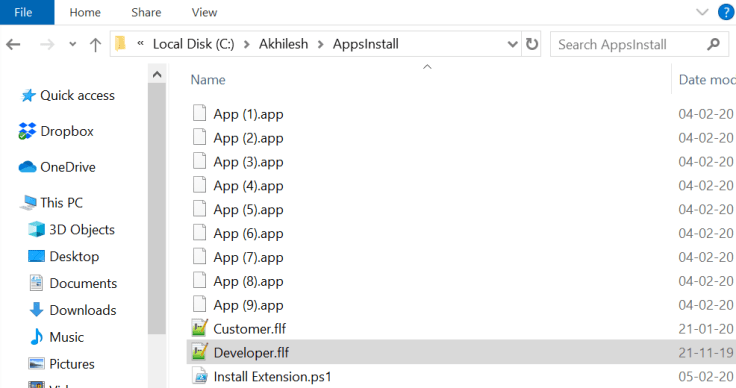
Script folder
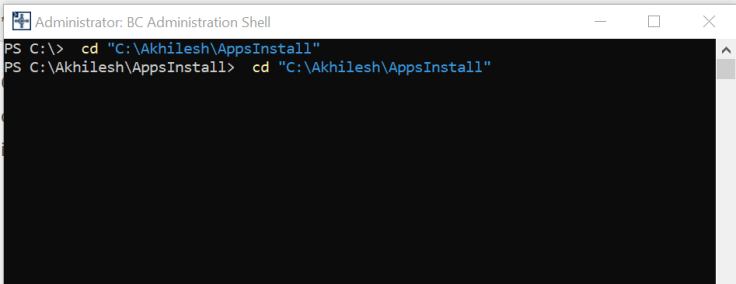
Business Business Central Administration Shell
# Code to get current path
function Get-ScriptDirectory {
if ($psise) {Split-Path $psise.CurrentFile.FullPath}
else {Split-Path $script:MyInvocation.MyCommand.Path}
}
# Code to get current path
$Folder = Get-ScriptDirectory
$ServiceName = Read-Host "Service Name ? :"

$DeveloperLicense = $Folder +'\Developer.flf'
$CustomerLicense = $Folder +'\Customer.flf'

Import-NAVServerLicense -ServerInstance $ServiceName -LicenseFile $DeveloperLicense
$confirmation = Read-Host "Do you want to Uninstall all extensions (y) ? :"
if ($confirmation -eq 'y') {
$Apps = Get-NAVAppInfo -ServerInstance $ServiceName| Where Publisher -ne 'Microsoft'

foreach ($App in $Apps) {
$App | Uninstall-NAVApp -Force
$App | Sync-NAVApp -ServerInstance $ServiceName -force
$App | UnPublish-NAVApp
}
write-host " Apps uninstalled Press any key to continue..."
[void][System.Console]::ReadKey($true)
}

Sync-NAVTenant -ServerInstance $ServiceName -Mode ForceSync -force

write-host " Sync Completed Press any key to continue..."
[void][System.Console]::ReadKey($true)

Get-ChildItem -Path (Join-Path $Folder $_) -Filter "*.app" | ForEach-Object {
Publish-NAVApp -ServerInstance $ServiceName –SkipVerification -Path $_.FullName
}

write-host " New Apps published Press any key to continue..."
[void][System.Console]::ReadKey($true)

Sync-NAVTenant -ServerInstance $ServiceName -Tenant Default -Mode ForceSync -force

write-host " Sync Completed Press any key to continue..."
[void][System.Console]::ReadKey($true)

$Apps = Get-NAVAppInfo -ServerInstance $ServiceName| Where Publisher -ne 'Microsoft'
foreach ($App in $Apps) {
$App | Sync-NAVApp -ServerInstance $ServiceName -force
$App | Install-NAVApp
}

Sync-NAVTenant -ServerInstance $ServiceName -Tenant Default -Mode ForceSync -force
Import-NAVServerLicense -ServerInstance $ServiceName -LicenseFile $CustomerLicense

$confirmation = Read-Host "Do you want to restart nav service (y) ? :"
if ($confirmation -eq 'y') {
Stop-NAVServerInstance -ServerInstance $ServiceName -Force
Start-NAVServerInstance -ServerInstance $ServiceName -Force
}
Discover more from AkhileshKartha.com
Subscribe to get the latest posts sent to your email.
 AkhileshKartha.com
Leave a comment