

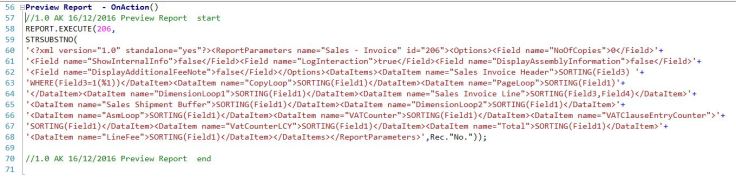
 REPORT.EXECUTE Runs a report in preview or processing only mode without running the request page. The function gets the request page parameter values as an input parameter string. This is the new reporting function added on 2015 version
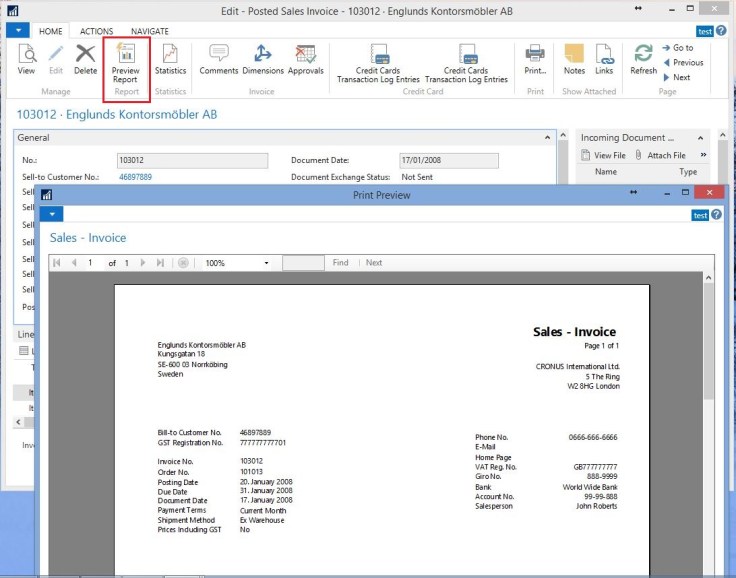
Requirement : preview Sales invoice report without the request page
- Create New codeunit to generate the XML request string
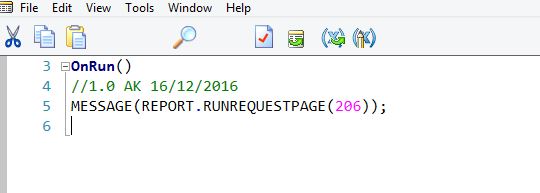
- Run Codeunit and apply the filter on request page > OK >Copy the message to text

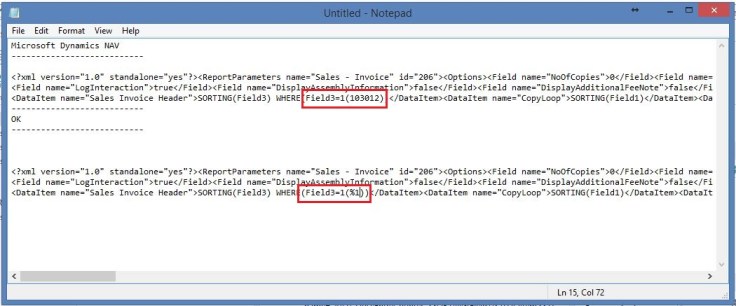
XML string

- Copy Message to text and replace parameter with %1
- Create New Action on posted sales invoice page
- Posted sales invoice page
Discover more from AkhileshKartha.com
Subscribe to get the latest posts sent to your email.
 AkhileshKartha.com
Leave a comment