
Scheduled reports are entered in the job queue and processed at the scheduled time, similar to other jobs. If we choose to save the report to a file, then the processed report will sent to the Report Inbox,
While Scheduling the report, the scheduler page hitting warning message There is no running job queue for scheduled reports.

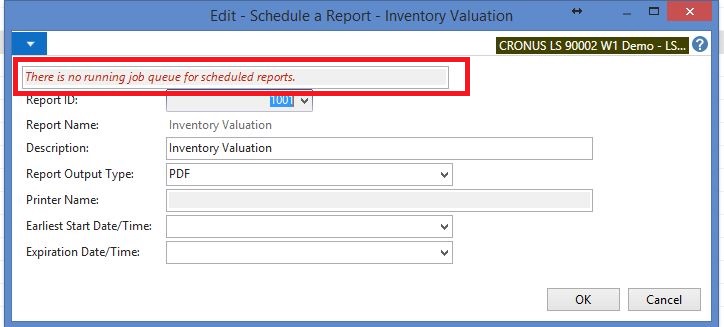
This is the standard error , you have to create new job queue with Job queue Category filter blank . Start Job queue and try again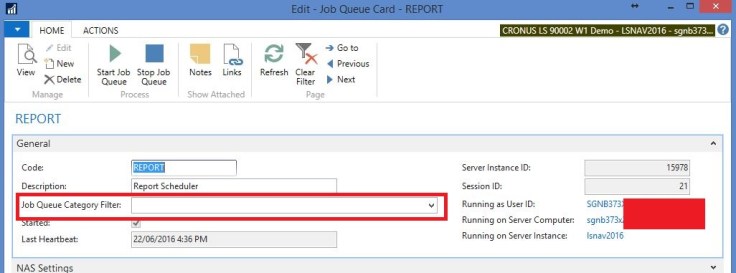
Discover more from AkhileshKartha.com
Subscribe to get the latest posts sent to your email.
 AkhileshKartha.com
Leave a comment